Lotus. A to-do list built around constant reordering, not fixed buckets.
The context
Todo lists have always been a design challenge. Everyone building software tries one eventually, and almost nobody stays happy with what they ship.
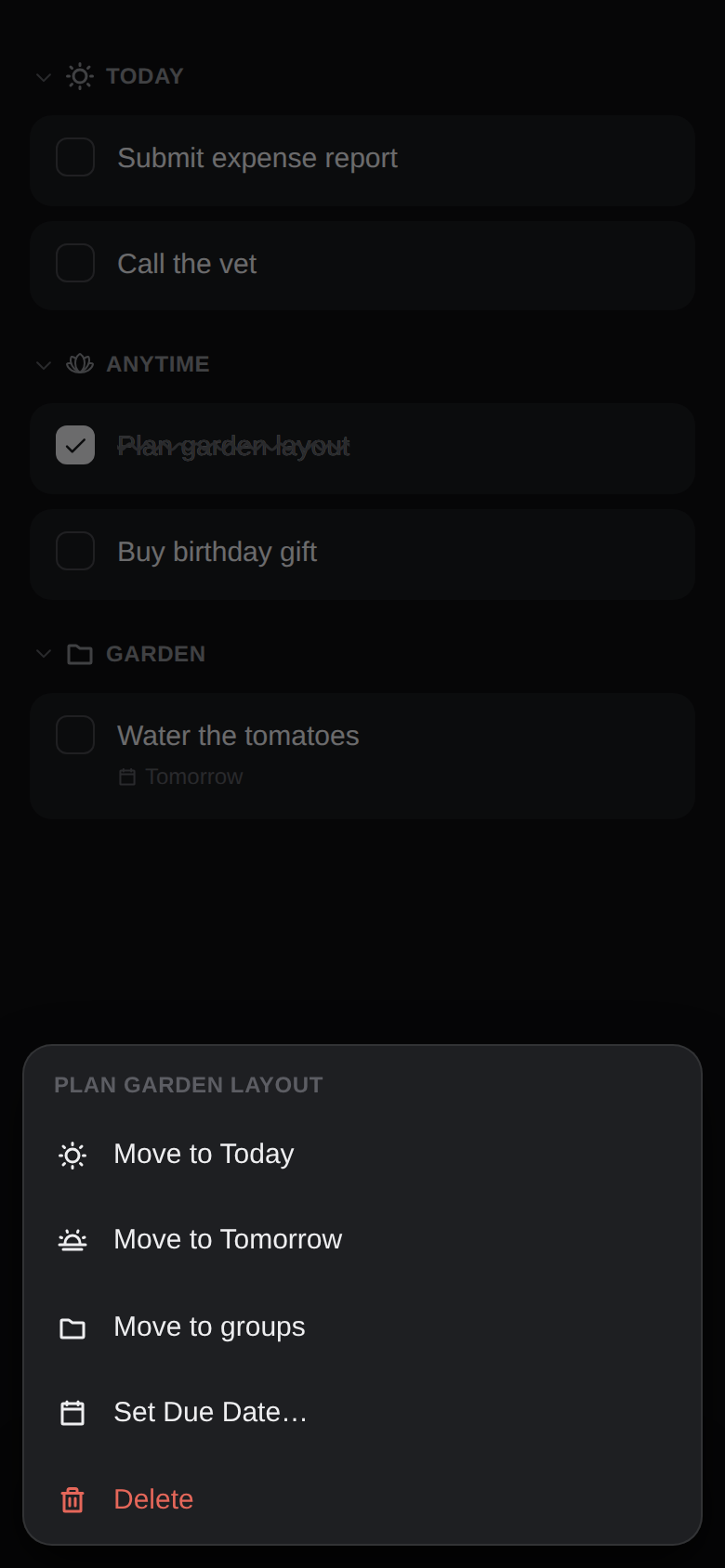
I wanted to take it from a different angle: no settings screen, no action buttons scattered across a toolbar, no menu bar sitting there whether you need it or not. Just a single composer at the bottom of the screen, enriched with contextual commands, carrying the entire interaction model — everything else surfaces only when you ask for it, through a long press or a typed command.
The trigger was a pitch Charlie Deets posted on LinkedIn: Things 3 treats Today, Tomorrow, and Anytime as fixed buckets, but real task management is constant renegotiation — pulling something into today, pushing it back out, reshuffling mid-afternoon. Every one of those moves in Things means leaving the list, drilling into a picker, coming back.
Deets' pitch pushed me to think outside the box, from a completely different perspective, toward a completely different interaction model. Lotus is what came out of that.
What it does
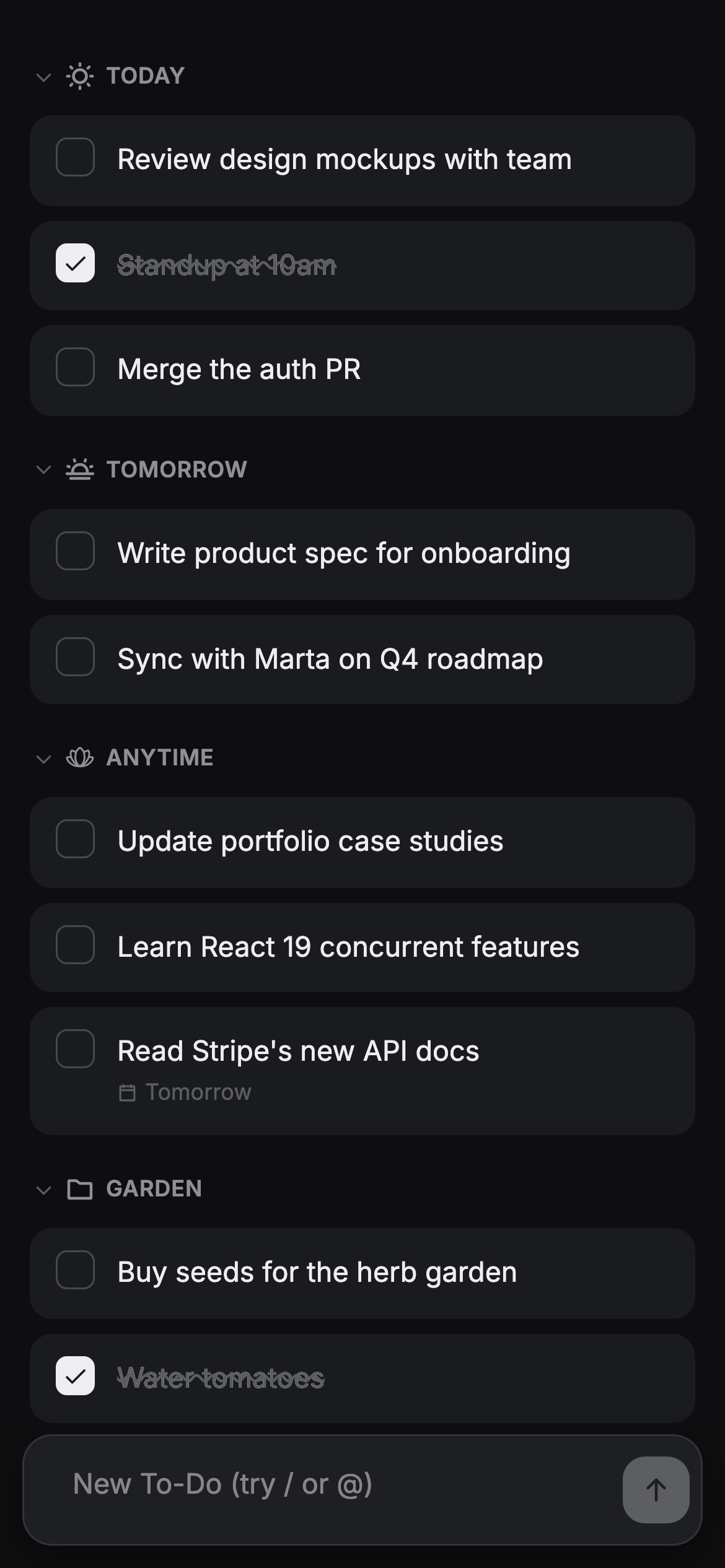
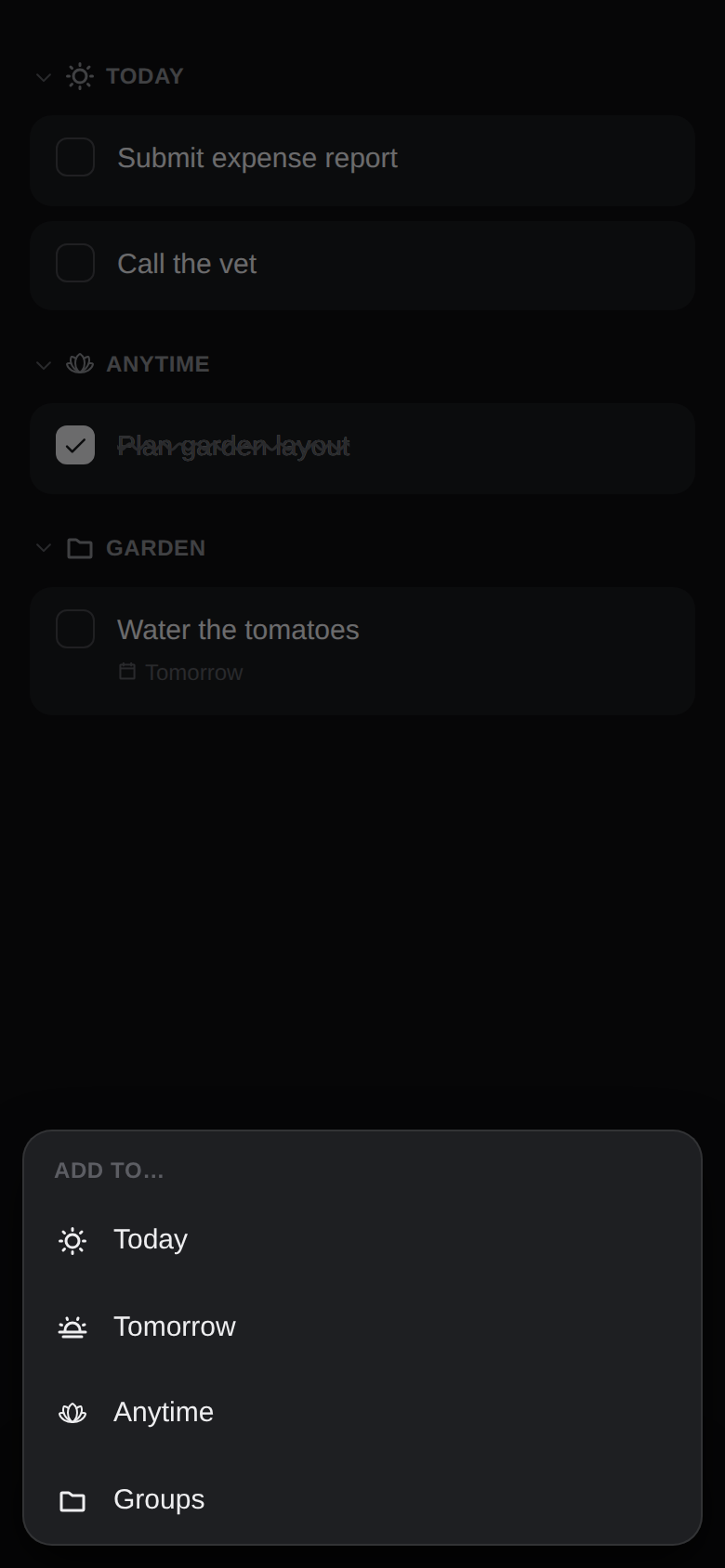
- A composer at the bottom of the screen — type and send to Anytime, or long-press send to choose Today, Tomorrow, or drill into a custom group
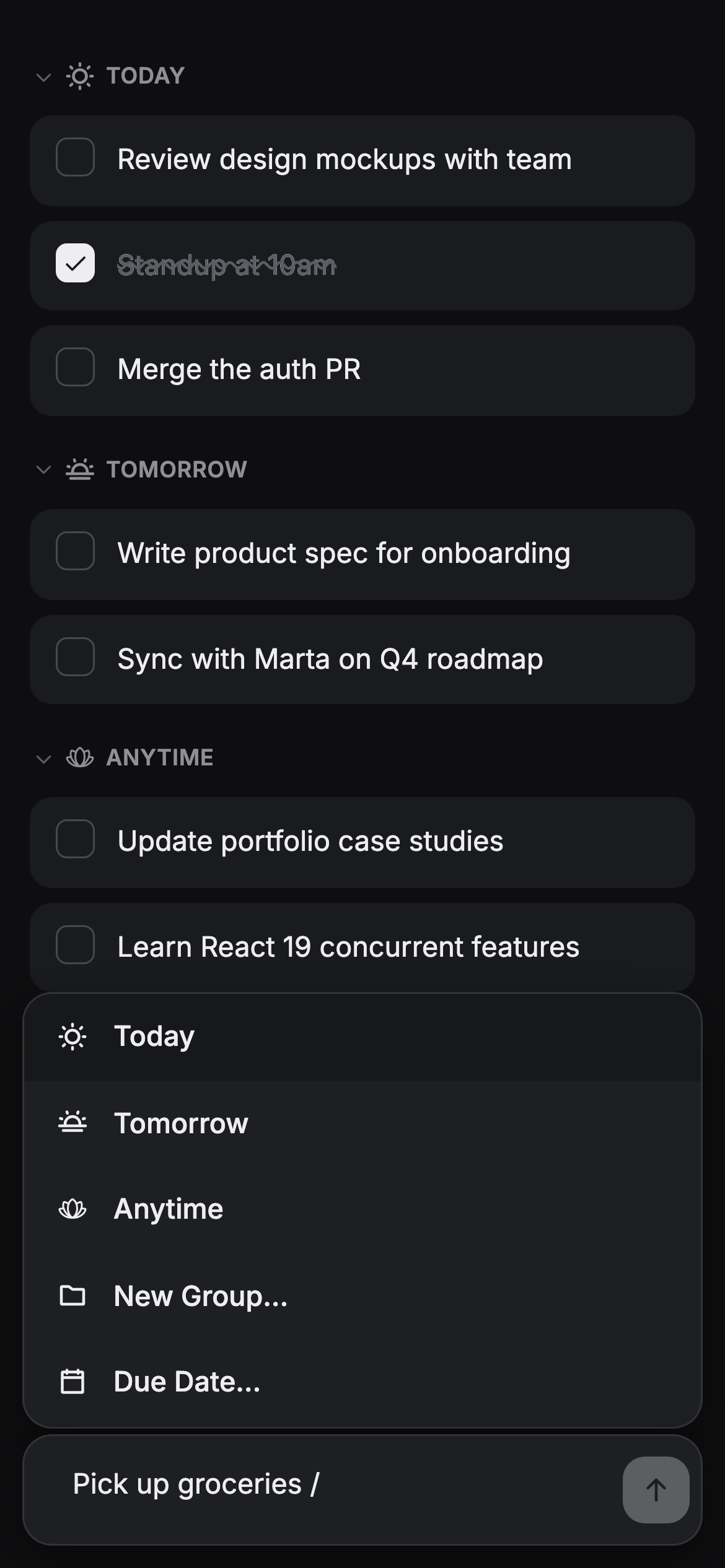
- Slash commands that change meaning depending on state: with text typed,
/is a destination picker; empty, it's the app's command palette (manage groups, theme, clear completed) - An
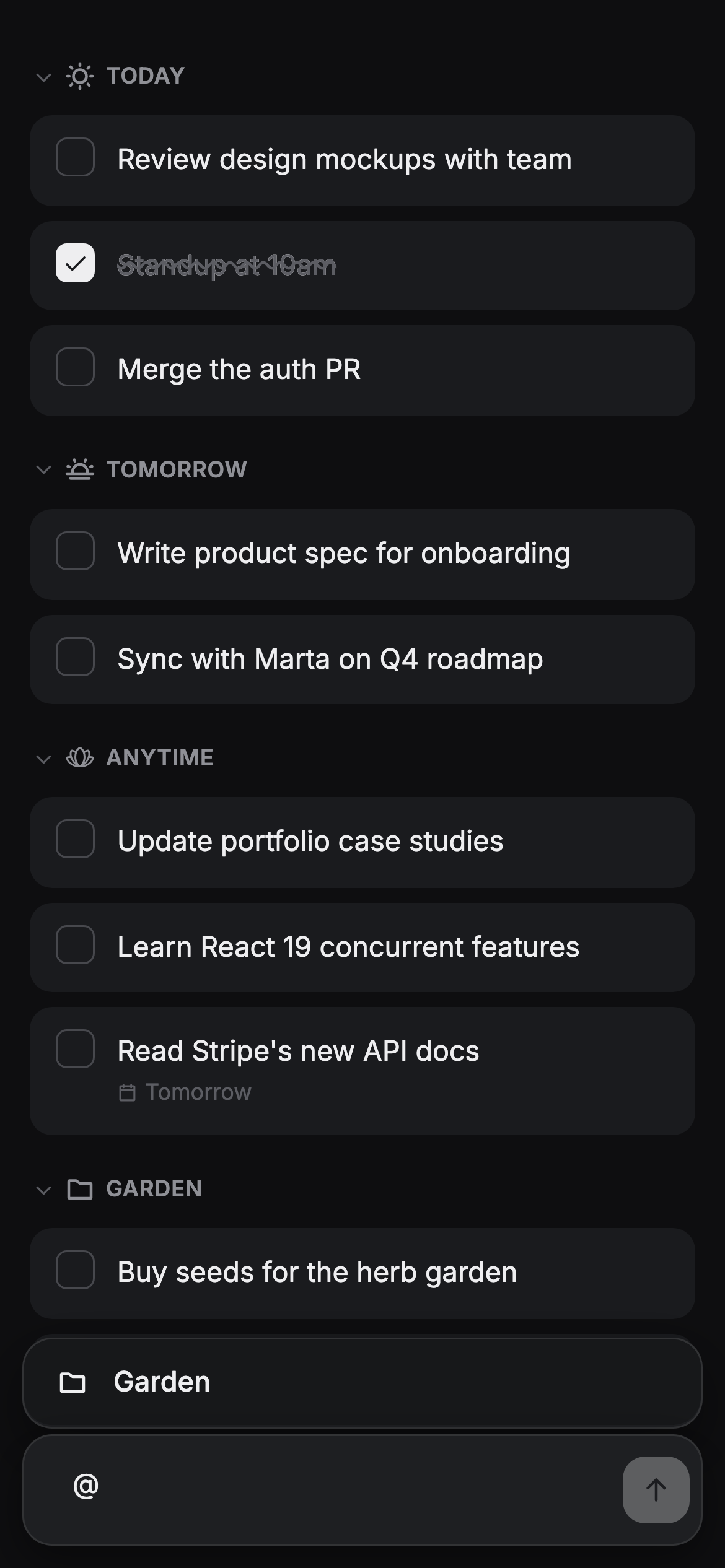
@shortcut to jump straight to a group without leaving the keyboard - Anytime tasks aren't a dumping ground — set a due date and the item routes itself: today's date moves it to Today, tomorrow's to Tomorrow, anything later stays in Anytime. Items already filed in a custom group are left alone regardless of due date
- Completed items stay struck through until midnight, or get swept early with a pull-down gesture
- Full drag-and-drop reordering, within and across sections, backed by a fractional-ordering algorithm so reorders never require renumbering the whole list
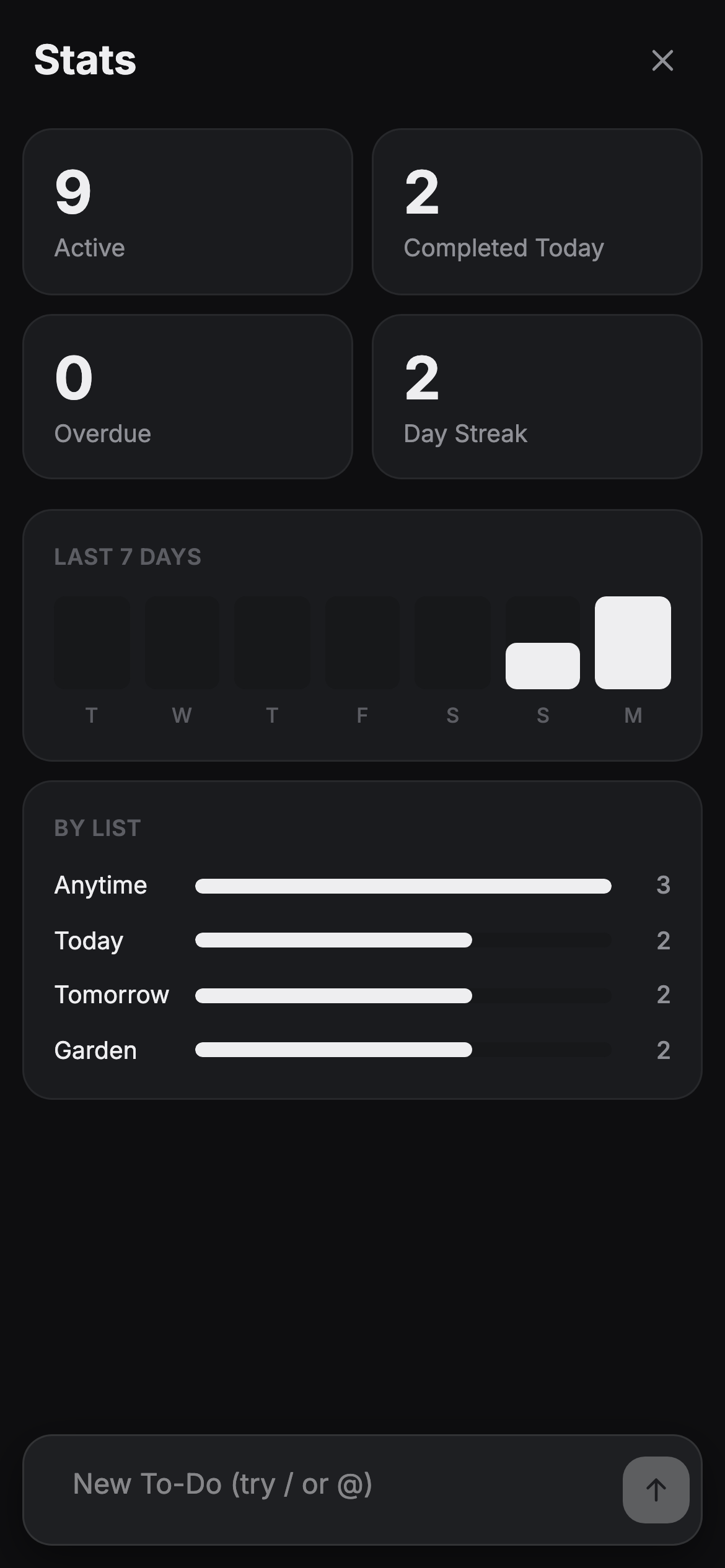
- A stats dashboard accessible via
/stats— active/completed/overdue counts, a day streak, a 7-day completion bar chart, and a per-list breakdown; deliberately not persisted so the app always reopens on the list
Composer, slash commands, the @ shortcut, an Anytime task routed by due date, drag-and-drop reorder, and the switch to dark mode
Why it's a playground project
The pitch covered maybe a third of what's in the app now. The rest came from using it daily and noticing what broke: an early swipe-to-complete gesture fought with drag-to-reorder on touch, so it got pulled and replaced with the long-press menu that's still there; a due-date rule that filed everything into Anytime turned out wrong once real dates were involved, so it got corrected to route by whether the date is today, tomorrow, or later; and the composer kept jumping off-screen when the keyboard opened on mobile Safari, fixed twice before it actually held.
None of that shows up in a first working version. It shows up in the 48th PR, still fixing edge cases a daily driver keeps surfacing.
Dark mode
Light, Dark, or System, picked from the /theme command and remembered across sessions.
Stats
Active tasks, completed today, overdue, and a day streak — plus a 7-day completion chart and a per-list breakdown. Accessed via /stats and deliberately not persisted, so a reload always brings you back to the list rather than stranding you on a dashboard.
The result
One composer, no buttons. Slash commands and the @ shortcut cover what a typical to-do app spreads across menus, toggles, and settings screens. Pulling a task into Today, pushing it to Tomorrow, parking it in Anytime, or filing it into a custom group all happens from the list itself. That's the renegotiation Deets described, without the round trip through a picker.