Hooptap. From custom apps to platform thinking.
The impact
Grew from freelance UI contributor to platform designer at a gamification startup — navigating a B2C-to-B2B pivot, building a modular design system that powered custom apps for forty-plus clients, and designing a widget demo that translated an invisible API into something executives and developers could actually see.
The context
Hooptap was a startup building gamification infrastructure: points, badges, quests, leaderboards, rewards, social features. The goal was giving brands and media companies the tools to drive engagement with their audiences.
I came in as a freelance designer during the B2C phase, working on UI for iOS and Android. The engagement grew as the company grew.
Phase one: the B2C model and why it ended
The original product was a branded app where users could participate in campaigns from multiple companies — a single place to collect prizes and rewards. Brands subscribed; users downloaded.
The model had a structural problem: user acquisition and brand acquisition had to happen simultaneously, and neither could pull the other. The app needed users to attract brands, and brand campaigns to attract users. Neither side had enough critical mass to build the flywheel.
Phase two: B2B pivot
The company pivoted to building custom gamification apps directly for individual clients. Same core capabilities — quests, rewards, rankings, social features, second-screen experiences — but delivered as branded, client-specific products.
The B2B model worked. Clients included Discovery Channel, Nickelodeon, RTVE ClanTV, Heineken, TravelClub, MTS, Teletica, TVI, Canal 13, Danone, MasterChef, Consum, and dozens more.
Clients from the B2B phase. Each got a custom-branded product built on the same core.
The scalability ceiling
The B2B model created a new problem. Every client wanted custom branding, custom workflows, and custom infrastructure. Building each one from scratch meant the team couldn't ship fast enough to keep pace with sales. Revenue was available, but execution was the bottleneck.
The answer was a design system — not as a style exercise, but as a business necessity.
I worked with the team to decompose the product into its constituent parts: profile and status, notification system, activity feed, social graph, rankings, news feed, reward mechanics (points, badges, prizes), quests, marketplace, second-screen, voice recognition, and a content management dashboard. Every feature became a component. Every component was built to be skinned, not rebuilt.
The same tools, the same core logic, the same interaction patterns — delivered with a custom look and feel, custom workflow, and custom server setup per client. One system, many surfaces.
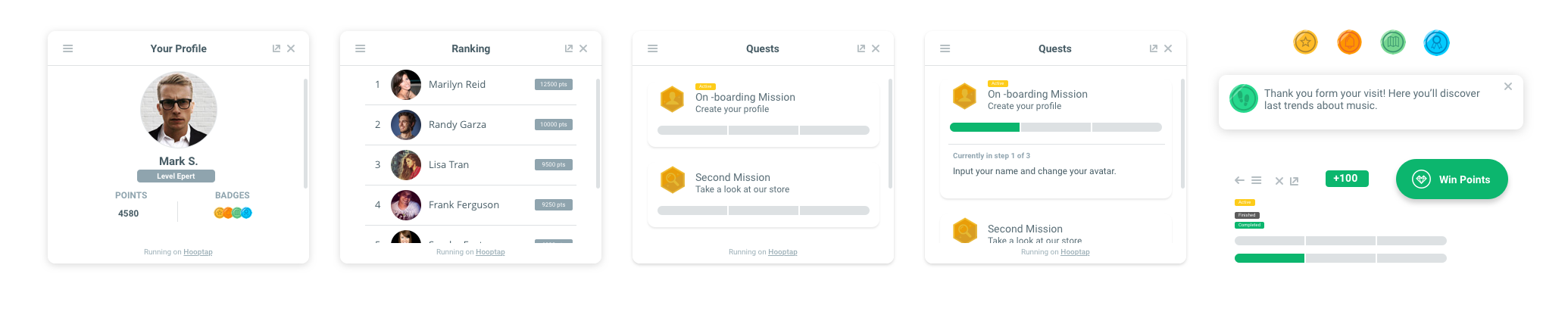
Interface elements and screens from the modular design system.
Phase three: API and the demo problem
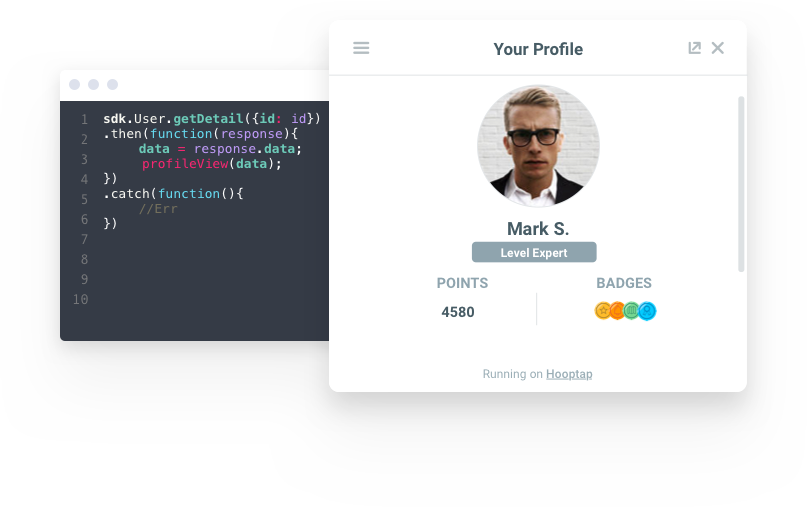
As the platform matured, the team built a JavaScript SDK and public API — the intention being that clients could integrate Hooptap's gamification layer directly into their own products rather than receiving a standalone app.
The API had a design problem that had nothing to do with interaction design: it had no UI. It was infrastructure. You couldn't demo it to an executive. You couldn't show progress in a review. You couldn't benchmark it against competitors in a screenshot.
The marketing and business development teams needed something they could show. The engineering team needed something they could test SDK integration against. Both needs required the same thing: a product that looked and behaved like a real client implementation.
I designed a web-based widget built on the new SDK — a standalone interface that surfaced all the core platform features and could be embedded into any website. It served as mockup, prototype, and live integration test simultaneously.
Widget UI: all core gamification features in a single embeddable surface.
Prototyping the interaction layer
Before moving to live code, I prototyped key interactions and state transitions to validate behavior and get feedback from the product team.
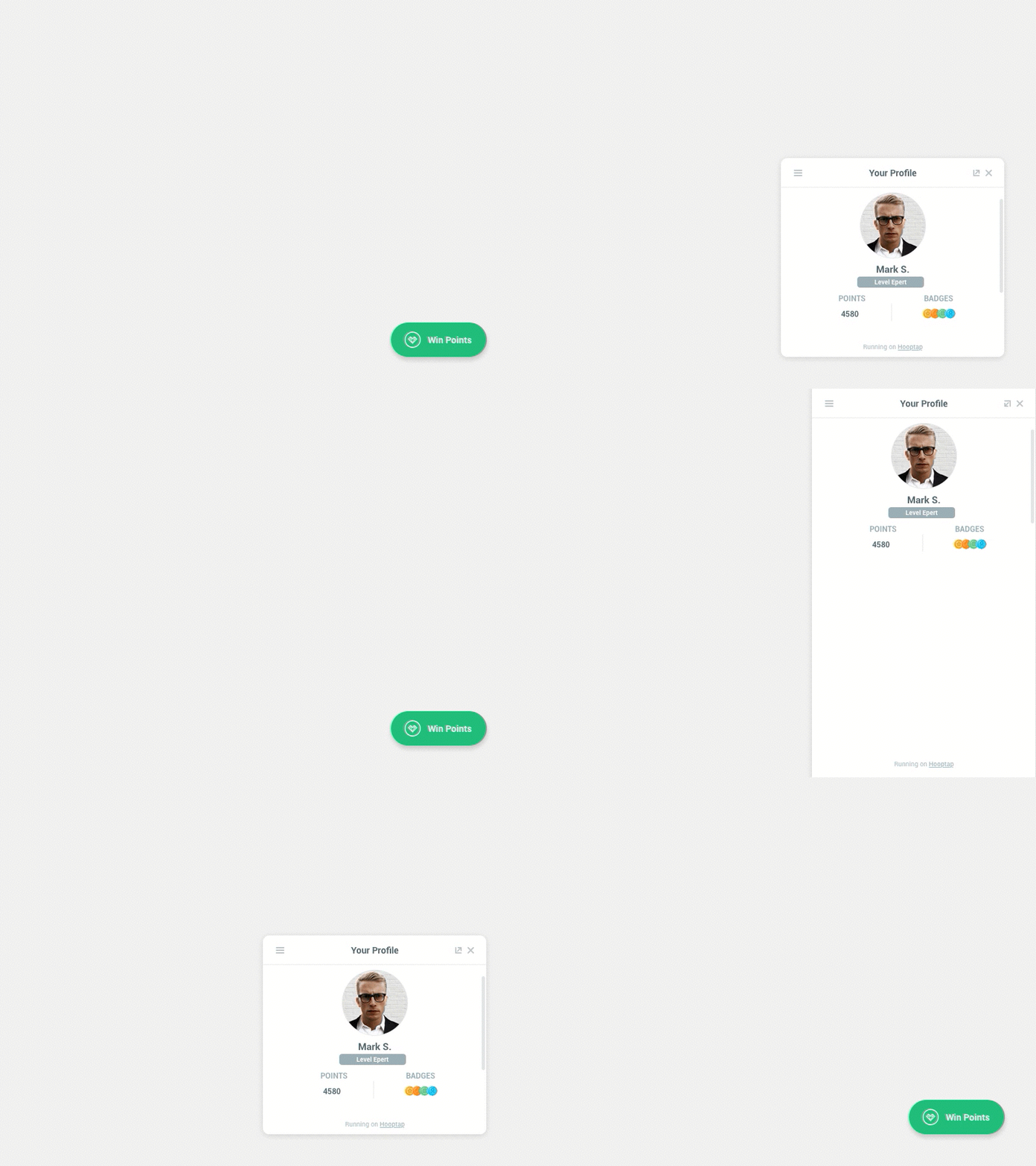
Principle prototype showing core widget interactions.
The live demo
Once interactions were validated, we built the widget in HTML and JavaScript — a live implementation connected to the real API. This was the version that could prove the SDK worked in context.
Live HTML/JS prototype used for interaction testing and SDK validation.
We built it against a fictitious client — an entertainment ecommerce site — with a defined set of reward triggers mapped to real user actions:
Content actions: visiting sections, adding to cart, purchasing, rating content, reading blog posts.
Platform actions: registering, returning and logging in, earning points and badges, joining and completing quests.
Login and authentication flow in the live prototype.
The live demo made the invisible visible: stakeholders could see the gamification layer respond to real events in real time, and the development team could test SDK integration against an implementation that matched what client integrations would look like.
SDK integration on the live demo ecommerce site.
What didn't ship
The widget and SDK never reached customers. The company was working toward it, but the product in this form didn't make it to market.
The B2B custom app phase was commercially successful. The platform approach — and the design system built to support it — reached production across dozens of client deployments.
Key learnings
Design systems are a business argument, not a craft preference. The modular system at Hooptap wasn't built because atomic design was a good idea. It was built because the company couldn't grow otherwise. The constraint made the solution obvious; execution was the hard part.
A demo is a product design problem. Building the widget demo required the same decisions as building the product: what features, what flows, what states, what edge cases. The fact that the primary audience was internal didn't make those decisions less real.
Platform design and product design require different instincts. In B2B custom apps, the constraint is making one thing work well for one client. In platform design, the constraint is making one system work acceptably for many clients with conflicting needs. Those instincts pull against each other, and learning to hold both was the real education here.